
Unbiased headlines. Facts, not spin.
Unbiased Headlines is an independently owned news organization. We bring you the facts, not opinions, written fresh from 110+ named sources. Sources linked so you can verify it yourself.
 tech
Notable (6/10)
Google Removes Search Button From Desktop Homepage, Adds Gemini Shortcuts and AI Chat Sidebar
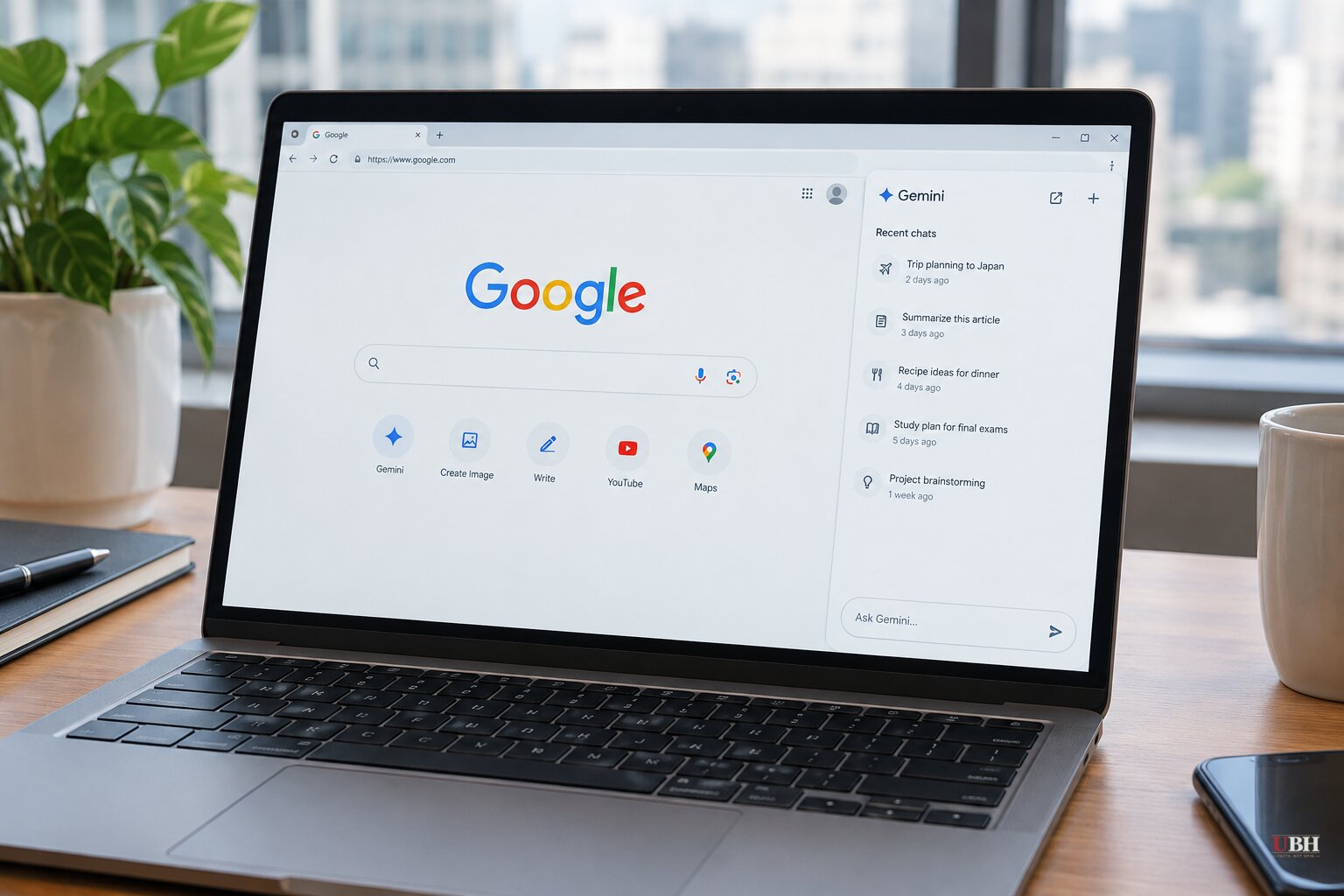
Google's desktop homepage lost its "Google Search" button this week.
Robby Stein, who leads product for Google Search, announced the redesign on X on Thursday, Nov. 19. He said it is rolling out globally after a successful test. The page still has the logo and the search bar in the middle. What sits underneath is different.
What changed on the page
Three new buttons now sit below the search box:
- Image generation through Nano Banana, Google's image model
- File upload and analysis
- A "Brainstorm" option that opens a session with Gemini
Those tools used to sit behind the "+" attachment menu to the left of the search bar. Now they get front-row placement.
The "I'm Feeling Lucky" button stays. The button that actually runs a search is gone. Android Authority noted that Google has previously experimented with swapping Lucky for a dedicated AI Mode button.
The sidebar
The other addition is a collapsible left-hand sidebar that surfaces recent AI Mode conversations. Stein described the thinking in his post: "People are coming to Search with more questions that aren't just one and done – and in testing, this sidebar made a big difference for making progress & continuing to explore the web." He called it "a much simpler way to pick up where you left off."
Details differ on how and when the sidebar shows up. Ars Technica reports that signed-in users get it on the homepage and on the results page. 9to5Google and Chrome Unboxed describe it as pulling Gemini chat history and tasks onto the homepage, with a New chat shortcut.
PCMag's own testing found something narrower. The sidebar appeared only after the reporter used AI Mode, for example by clicking the "Ask anything" box inside an AI Overview. It is there by default if you go straight to AI Mode. PCMag said it lets users start new threads, search old ones, open a research-focused Notebook, or browse recent results.
The rollout is staged. 9to5Google said the new page was not yet live on its devices, and Chrome Unboxed said it had not reached every account.
Regular search still works
Nothing was removed from the core product. Type a query, press Enter or Return, or click an autocomplete suggestion, and you get a normal results page. You only land in AI Mode if you choose it.
The missing button was also awkward by design. Autocomplete suggestions cover it as soon as you start typing, so clicking it meant leaving the text field. Most people already hit Enter.
That is the strongest argument for the change. The button was redundant, and Google is spending the space on features it says people use.
The direction of travel
The objection is about where this leads, not the button itself. Ars Technica argued that AI features now get prominent buttons and a sidebar while traditional search is de-emphasized, and that Google "is inching in that direction" of AI Mode eventually taking over, with the old-fashioned version something users would have to select manually. Android Authority's headline summary put it more bluntly: the homepage gets more AI Mode "whether you like it or not."
Google has not said that is the plan. The company's stated rationale is behavioral: users bring multi-step questions, and a history panel helps them continue.
The redesign follows earlier 2026 changes that pushed more traffic into AI Mode, including a Chrome test that sent address-bar queries straight to it. Earlier this week Google also added temporary threads to AI Mode. Google says those sessions are detached from the user's account, so responses are not informed by past preferences, do not affect future personalization, and are not saved to history. PCMag said that option was not available in its testing.
What to watch
Google has not said whether signed-out users, who were the main audience of the test, get the same layout as signed-in users. It also has not said whether "I'm Feeling Lucky" will be the next button to go. The rollout is expected to reach more accounts over the coming days.
Sources used for this briefing
8 links from 8 independent newsrooms (syndicated copies of the same report count once)
These are the sources it draws on, linked so you can verify.